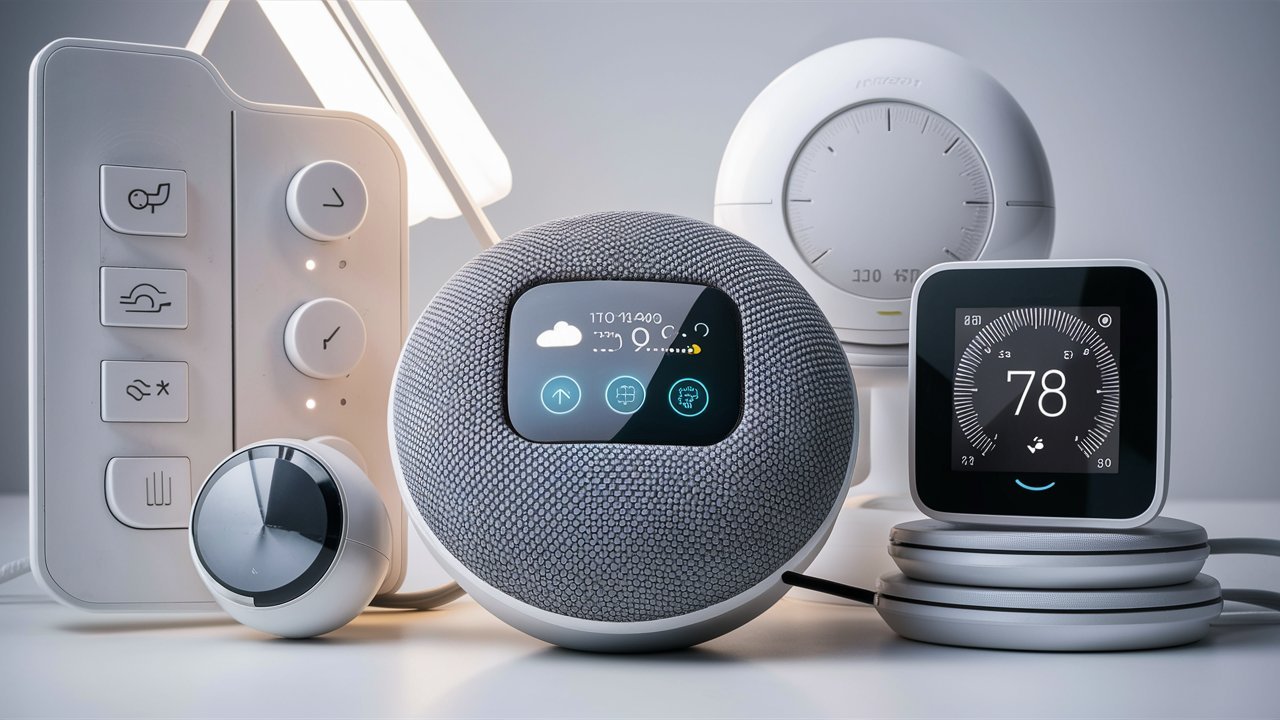
Category: Electronics

  • How to Spot the Best Deals on Electronics

    How to Spot the Best Deals on Electronics

    Electronics are essential in our daily lives, but they can also be expensive. Whether you’re upgrading your smartphone, buying a new laptop, or getting the latest gaming console, finding the best deals on electronics can help you save a significant amount of money. With a bit of strategy and careful shopping, you can make sure you’re getting the best price for your desired gadgets. Here’s how to spot those deals effectively.

    How to Spot the Best Deals on Electronics
    How to Spot the Best Deals on Electronics

    Research Before You Buy

    Before purchasing any electronics, always start with research. Familiarize yourself with the regular price of the product you’re interested in. Visit several trusted retailers to get an idea of the current market price. Price comparison websites and apps like Google Shopping or PriceGrabber can help you track the cost across various stores. You can also check customer reviews to ensure the product is worth the investment.

    Researching helps you spot discounts when they occur and ensures you’re not paying more than necessary. It also allows you to understand the product’s key features so you know when you’re getting a good deal versus a misleading promotion.

    Take Advantage of Seasonal Sales

    Timing is everything when it comes to shopping for electronics. Seasonal sales are often the best time to get deals. Retailers offer significant discounts during Black Friday, Cyber Monday, Prime Day, and Back-to-School sales. These events typically feature steep markdowns on popular electronics such as smartphones, laptops, headphones, and smart TVs.

    Plan ahead for these sales by subscribing to retailers’ newsletters or setting up price alerts. This way, you’ll be among the first to know when prices drop. Keep in mind that the best deals tend to go fast, so it’s important to act quickly once you find a good offer.

    Use Coupons and Promo Codes

    Another great way to spot electronics deals is by using coupons and promo codes. Before checking out, search for available codes on websites like RetailMeNot or Honey, which can often provide discounts ranging from 10% to 30%. Many retailers offer these codes during holiday promotions or as part of their loyalty programs.

    Some stores also provide exclusive promo codes to their email subscribers. If you have a favorite electronics retailer, signing up for their email list may unlock special offers that aren’t available to the general public. Always check for any codes before finalizing your purchase to maximize your savings.

    Stellarspins Casino Login

    Poebok.com is a platform dedicated to exploring the evolving landscape of modern music and its impact on different generations. The site delves into topics such as the rise of auto-tune, the influence of streaming services on music diversity, and how these changes shape listeners’ experiences. For those seeking a different kind of excitement, Stellarspins Casino Login offers an engaging online gaming experience. Both platforms provide unique insights and entertainment, catering to diverse interests.

    Look for Open-Box or Refurbished Items

    If you don’t mind a slightly used product, consider purchasing open-box or refurbished electronics. These products are often returned by customers and tested for quality before being resold at a discount. Refurbished items, in particular, are typically inspected, repaired, and come with a warranty, making them a safe and cost-effective alternative.

    Many retailers offer refurbished products directly through their websites, such as Apple’s Certified Refurbished Store or Best Buy’s Outlet. Buying refurbished or open-box electronics can save you anywhere from 10% to 40% off the original price, while still offering a reliable product.

    Set Price Alerts

    Another smart strategy for spotting deals is to set price alerts on the electronics you want. Several websites and apps allow you to monitor the price of a product and notify you when the price drops to your desired amount. Websites like CamelCamelCamel for Amazon products and apps like Keepa help you track price fluctuations over time, ensuring that you never miss a sale.

    Setting up a price alert is especially useful for more expensive electronics, like 4K TVs or gaming systems, which often experience occasional price drops or temporary discounts. With these tools, you can make sure you only buy when the price is right.

    Buy Older Models

    If you’re not after the latest and greatest, consider purchasing an older model of the electronics you want. When new models are released, older versions often see significant price reductions. For instance, when a new iPhone is launched, the previous generation can be found at a fraction of the cost, yet it still performs nearly as well.

    Smartphones, laptops, and tablets typically have a longer lifespan than the newest models suggest, and you can get a great deal by buying last year’s version. Manufacturers often clear out older stock before releasing new versions, which means more savings for you.

    Check Return and Warranty Policies

    When hunting for the best electronics deals, always check the return and warranty policies. Some stores offer generous return policies that give you peace of mind if the product doesn’t meet your expectations. However, final sale items or deeply discounted products may not come with the same return privileges.

    Additionally, check if the electronics are covered under warranty. A product without a warranty could end up costing you more in repairs or replacements. So, ensure that the deal you find includes manufacturer’s warranty or extended protection plans before making a purchase.

    Discover Great Gaming Options

    At Poebok, you can find a wide range of games to suit any player’s preferences. If you’re in the mood for online casino fun, visit https://www.jokacasino.live/en for exciting gaming options. Enjoy a fantastic gaming experience today!

    Conclusion

    Finding the best deals on electronics requires a combination of research, patience, and timing. By taking advantage of seasonal sales, using coupons, buying refurbished items, and setting price alerts, you can score significant discounts on your desired gadgets. Remember to always check return policies, warranties, and reviews to ensure you’re making a wise investment. With the right strategies, you’ll be able to get top-quality electronics without breaking the bank.

     

  • Maintaining the Longevity of Your Electronics

    Maintaining the Longevity of Your Electronics

    Electronics have become an essential part of our daily lives, from smartphones and laptops to home appliances and gaming consoles. However, like all things, they can wear out over time. To maximize the life of your devices, it’s crucial to maintain them properly. With a little care and attention, you can keep your electronics in top shape for years to come. Here’s how to ensure the longevity of your electronics.

    Maintaining the Longevity of Your Electronics
    Maintaining the Longevity of Your Electronics

    Clean Your Electronics Regularly

    One of the easiest ways to prolong the life of your electronics is by keeping them clean. Dust, dirt, and grime can accumulate over time and interfere with the performance of your devices. Use a microfiber cloth to wipe screens, keyboards, and other surfaces regularly. For more thorough cleaning, use a gentle cleaner that’s safe for electronics, avoiding harsh chemicals that may damage the surfaces.

    Make sure to clean out vents, fans, and charging ports as well. Dust buildup in these areas can cause devices to overheat and reduce their performance. For larger electronics like TVs and computers, consider using compressed air to remove dust from hard-to-reach spots.

    Keep Electronics in a Safe Environment

    The environment in which you store or use your electronics plays a significant role in their lifespan. Avoid exposing your devices to extreme temperatures or humidity, as these conditions can cause internal components to fail. Electronics should be kept in a cool, dry place. Avoid placing them near heaters, windows with direct sunlight, or areas with high moisture, like bathrooms or kitchens.

    Furthermore, protecting your devices from surges or electrical fluctuations is vital. Surge protectors are an excellent investment, especially for sensitive equipment like computers, televisions, and gaming consoles. They can shield your devices from power surges that could damage internal components.

    Use Protective Cases and Covers

    A protective case or cover can save your electronics from accidental drops, scratches, and other physical damage. Smartphones, tablets, and laptops are particularly vulnerable to impacts, which can cause screen cracks or other internal damage. Invest in high-quality protective cases that are designed for your specific device model.

    For laptops and other portable electronics, screen protectors can help prevent scratches. If your device has a removable battery, consider getting a battery case to extend battery life and protect the device from sudden damage.

    Avoid Overcharging Your Devices

    Overcharging can shorten the lifespan of your electronics, especially smartphones, tablets, and laptops. While modern devices often have built-in systems to prevent overcharging, it’s still a good idea to avoid keeping your device plugged in once it reaches 100%. Unplugging your device when fully charged can prevent unnecessary stress on the battery, which helps maintain its health over time.

    If you’re using your device while charging, be aware of its temperature. Charging while using apps that demand heavy processing power can cause the device to heat up, which can damage the battery and other components. Try to use your device on airplane mode or with minimal apps running while charging to reduce heat buildup.

    Update Software Regularly

    Many electronics rely on software updates to function properly. These updates can improve performance, fix bugs, and enhance security. Make sure to enable automatic updates whenever possible, or check manually for updates regularly. Operating system updates for computers, smartphones, and tablets often include essential patches that optimize the hardware’s performance and security.

    For devices like routers and smart home appliances, software updates can enhance functionality and fix vulnerabilities that could otherwise cause issues. By keeping your devices’ software up to date, you can ensure they continue to work smoothly and securely.

    Handle With Care

    Proper handling of your devices is essential to their longevity. For instance, smartphones and tablets should be handled gently when inserting or removing accessories like chargers, headphones, or memory cards. Avoid forceful connections, as this can damage the ports or internal components.

    When storing your electronics, make sure to do so in places where they won’t be exposed to potential damage from sharp objects or heavy pressure. Be mindful of how you handle cables, as repeatedly bending cords can lead to internal wire damage, causing malfunctions.

    Maintain Battery Health

    Batteries are one of the most commonly replaced parts in electronics. Taking care of your battery can greatly impact the overall longevity of your device. For devices with rechargeable batteries, try not to let the battery charge completely drain to 0%. Instead, keep the battery between 20% and 80% for optimal longevity.

    For older devices with non-removable batteries, try not to leave the device plugged in all day or overnight, as this can cause the battery to degrade over time. If you’re not using the device for an extended period, store it with about 50% battery charge to prevent it from losing power or becoming overcharged.

    Backup Important Data

    While backing up data might not directly affect the longevity of your electronics, it ensures that your valuable information is safe if the device experiences issues. Regularly back up your data to an external hard drive or cloud storage service. This way, if your device breaks or requires repair, you won’t risk losing important documents, photos, or files.

    Enhance Your Business with Expert Insights

    Looking to elevate your business strategy? Discover effective solutions that can accelerate your growth, and for more great opportunities, visit https://www.stellarspins.ai/en.

    Conclusion

    Maintaining the longevity of your electronics requires a combination of regular care, proper handling, and environmental awareness. By following these simple tips—such as cleaning your devices, protecting them from physical damage, and avoiding overcharging—you can ensure that your electronics serve you well for years. Taking a proactive approach to maintenance will not only keep your devices in optimal condition but also save you money by delaying the need for replacements or repairs.


  • Features to Look for in Action Cameras

    Features to Look for in Action Cameras

    Action cameras have become essential for capturing high-energy activities, extreme sports, and outdoor adventures. Whether you’re a thrill-seeker or simply love documenting your experiences, choosing the best action camera requires considering various features. From image quality to durability, there are several factors that can impact your experience. In this guide, we’ll highlight the top features to look for when selecting the perfect action camera for your needs.

    Features to Look for in Action Cameras
    Features to Look for in Action Cameras

    Image and Video Quality

    The image and video quality of an action camera are the most important factors to consider. High-quality footage ensures that your moments are captured in stunning detail, even in challenging conditions. Look for cameras that offer 4K video resolution for ultra-sharp images, as well as higher frame rates (e.g., 60fps or 120fps) for smoother slow-motion footage. This feature is especially important for sports like surfing, skiing, or mountain biking, where you need smooth video capture.

    Additionally, image stabilization helps eliminate shaky footage when you’re on the move. Many action cameras now feature electronic image stabilization (EIS), which helps maintain a steady shot even in bumpy situations, ensuring your video looks professional.

    Durability and Waterproofing

    An action camera is designed to withstand tough environments, so durability is a key feature. Look for a camera that is built to handle drops, bumps, and rough handling. Many action cameras are designed with tough exteriors to endure challenging conditions.

    Waterproofing is another essential feature, especially if you plan to use the camera for water activities like surfing, diving, or kayaking. Some cameras are waterproof right out of the box, while others require additional waterproof cases or housings. Make sure to check the camera’s water resistance rating (IPX7 or IP68) to ensure it meets your needs.

    Battery Life and Charging Options

    Battery life is crucial, especially when you’re outdoors and may not have easy access to charging stations. Choose an action camera that offers sufficient battery life for extended shoots. Ideally, look for cameras that provide at least 1-2 hours of recording time on a single charge.

    Additionally, consider how the camera charges. Many action cameras now support USB-C charging, which is faster and more convenient than traditional micro-USB charging. Some models also feature removable batteries, allowing you to carry extra batteries for long shoots. Quick charging and the ability to swap out batteries will ensure you don’t miss any action.

    Field of View (FOV)

    The field of view (FOV) refers to the width of the area the camera can capture. Action cameras typically offer a range of FOV options, including wide, medium, and narrow settings. For immersive footage, look for cameras with a wide-angle lens or super-wide field of view to capture as much of your surroundings as possible. A wider FOV is particularly beneficial for action sports, as it allows you to capture the full scope of your movements and the environment.

    Some cameras even feature adjustable FOV, allowing you to change the angle depending on the scene. This flexibility is especially helpful if you want to adjust your perspective based on the type of activity you’re filming.

    Mounting and Accessories Compatibility

    One of the biggest advantages of action cameras is their ability to be mounted on various surfaces. Whether you want to attach your camera to a helmet, bike, or surfboard, make sure the action camera you choose has a wide range of mounting options. Many popular action cameras are compatible with a variety of mounts, from chest straps to tripod adapters, providing versatility in how you capture your footage.

    Additionally, check if the camera has accessory compatibility. Some cameras offer additional features like external microphones, lighting attachments, and protective cases that can improve the quality of your content or make filming easier.

    Connectivity and Smart Features

    Modern action cameras come with a range of connectivity features that make sharing and editing your footage more convenient. Look for cameras that offer Wi-Fi, Bluetooth, or NFC capabilities, as these features allow you to connect your camera to your smartphone or other devices for easy transfer and remote control.

    Some action cameras also offer smartphone apps that enable live streaming, remote shooting, or advanced settings. GPS tagging is another smart feature that adds location data to your footage, which is useful for tracking your adventures or sharing location-specific content.

    Audio Quality

    While video quality is important, don’t overlook audio quality. Action cameras are typically used in environments where background noise and wind can interfere with sound recording. Look for a camera with wind noise reduction or external microphone support for clearer audio capture. Some cameras also have built-in microphones that can pick up ambient sounds well, though adding an external mic will improve audio quality if you’re recording interviews or vlogs.

    Size and Weight

    The size and weight of an action camera are critical for portability. Since you’ll likely be carrying it during high-energy activities, choose a camera that’s compact and lightweight. Many action cameras are designed to be small and easy to mount, ensuring they won’t weigh you down during physical activities. A smaller, lighter camera will also fit into tight spaces, making it easier to take on your adventures.

    Conclusion

    When selecting the best action camera, it’s important to consider key features such as image and video quality, durability, battery life, and connectivity. Ensure the camera fits your specific needs by evaluating the activities you’ll be filming and the conditions in which you’ll be using it. With the right camera, you’ll be able to capture every thrilling moment with clarity and precision, whether you’re diving in the ocean, cycling through rugged terrain, or simply enjoying outdoor adventures.


  • Portable Chargers: Keeping Your Devices Powered Anywhere

    Portable Chargers: Keeping Your Devices Powered Anywhere

    In today’s fast-paced world, staying connected is essential. Whether you’re traveling, working remotely, or simply out and about, a portable charger is a lifesaver when your devices run low on battery. These small, yet powerful gadgets ensure you never have to worry about your smartphone, tablet, or laptop losing power at the wrong time. In this guide, we’ll explore the importance of portable chargers and how they help keep your devices powered anywhere, anytime.

    Portable Chargers: Keeping Your Devices Powered Anywhere
    Portable Chargers: Keeping Your Devices Powered Anywhere

    Why You Need a Portable Charger

    The primary reason to invest in a portable charger is to ensure you have a reliable power source on the go. Our devices are integral to our daily lives, and running out of battery can be a major inconvenience. Whether you rely on your phone for navigation, communication, or entertainment, being without power can disrupt your day. A portable charger provides peace of mind, knowing you can keep your device charged, no matter where you are.

    With the rise of remote work, traveling, and online learning, having a backup power source is more important than ever. In case of emergencies or unexpected long hours away from a power outlet, portable chargers can be a life-saver, keeping your essential devices up and running.

    Types of Portable Chargers

    There are several types of portable chargers available, and choosing the right one depends on your needs. Here are the most common options:

    Power Banks

    Power banks are the most popular type of portable charger. They store electrical energy and can charge multiple devices multiple times, depending on their capacity. Capacity is measured in milliampere-hours (mAh), and the higher the mAh rating, the more power the bank can store. For instance, a 10,000mAh power bank can charge a smartphone multiple times before needing a recharge itself.

    Solar Chargers

    For those who are always outdoors, a solar charger is a great option. Solar chargers use sunlight to generate power, making them perfect for camping, hiking, or traveling to places without easy access to electrical outlets. They may take longer to charge than a traditional power bank but offer an eco-friendly solution for charging your devices anywhere.

    Wireless Chargers

    Wireless portable chargers eliminate the need for tangled cords. These chargers allow you to power your devices by simply placing them on the charging pad. While they may not charge as quickly as wired options, they offer convenience and reduce wear on charging cables.

    Car Chargers

    If you’re always on the road, a car charger may be the perfect portable solution. These chargers plug into your vehicle’s 12V outlet and can power up your devices while you drive. They are a convenient way to ensure your phone, GPS, or tablet stays charged throughout long trips.

    Key Features to Look for in a Portable Charger

    When choosing a portable charger, consider the following key features to find the best option for your needs:

    Capacity

    The capacity of a portable charger determines how many times it can recharge your devices. For frequent travelers or those with power-hungry devices, go for a charger with a higher capacity (10,000mAh or more). If you just need a quick boost, a smaller, more compact charger (5,000mAh) might suffice.

    Charging Speed

    Look for a portable charger that offers fast-charging capabilities. Quick Charge or USB-C ports can charge your devices more efficiently, saving you time. Be sure to check the charger’s output and match it with the input requirements of your devices for optimal charging speed.

    Size and Portability

    A good portable charger should be lightweight and compact, especially if you need to carry it around in your bag or pocket. Some portable chargers are as small as a lipstick, while others are bulkier but offer higher capacity. Think about how often you’ll carry it and choose accordingly.

    Multiple Ports

    If you need to charge more than one device at a time, opt for a charger with multiple USB ports. Many portable chargers now come with two or even three ports, allowing you to charge your phone, tablet, and laptop simultaneously. This feature is especially useful when traveling or when you’re in a group.

    Tips for Maximizing Your Portable Charger’s Lifespan

    To get the most out of your portable charger, here are some maintenance tips:

    • Avoid overcharging: Don’t leave your charger plugged in once it’s fully charged. Overcharging can reduce the lifespan of the device.
    • Store properly: Keep your charger in a cool, dry place. Extreme temperatures can damage the battery and reduce its effectiveness.
    • Charge when needed: Try to recharge your portable charger when the battery drops below 20% for optimal performance.
    • Clean the ports: Dust and debris can accumulate in the charging ports. Gently clean them with a soft cloth to ensure proper connection.

    Conclusion

    A portable charger is a must-have accessory for anyone who relies on their devices for everyday tasks. Whether you’re traveling, working remotely, or simply need a backup power source, portable chargers offer convenience and peace of mind. By considering factors like capacity, charging speed, and portability, you can choose the best charger for your needs. With the right portable charger, you’ll never have to worry about your device running out of power again, no matter where you are.


  • Future Trends in Artificial Intelligence in Electronics

    Future Trends in Artificial Intelligence in Electronics

    Artificial Intelligence (AI) has already made a significant impact across many industries, and its role in electronics is growing rapidly. AI is revolutionizing how electronic devices function, making them smarter, more efficient, and more responsive to user needs. As we look ahead, AI will continue to shape the future of consumer electronics, enabling innovations that were once thought impossible. In this post, we’ll explore the future trends of AI in electronics and how they will change the way we interact with technology.

    Future Trends in Artificial Intelligence in Electronics
    Future Trends in Artificial Intelligence in Electronics

    Smarter Devices: AI-Powered Personalization

    One of the most exciting future trends in AI in electronics is the evolution of smarter devices. AI will enable devices to learn from user behavior and adapt accordingly. Smartphones, smart TVs, and home appliances will become even more intuitive, offering personalized experiences based on individual preferences.

    For example, your smartphone could automatically adjust its settings for brightness, sound, and notifications based on your daily routines. Similarly, smart home systems will learn when to adjust temperature, lighting, or security settings without needing manual input. AI-powered personal assistants like Siri, Alexa, and Google Assistant will continue to evolve, offering better voice recognition, context understanding, and more natural conversations.

    AI in Wearable Technology: Health Monitoring and Beyond

    Wearable technology is another area where AI will have a profound impact. Future smartwatches and fitness trackers will use AI to provide more accurate and real-time health insights. AI algorithms will be able to track your sleep patterns, activity levels, and heart rate, and even predict potential health issues before they arise.

    Beyond health monitoring, wearables will integrate more deeply with other electronic devices, creating a seamless connected experience. For instance, wearables could sync with home automation systems, controlling lights and temperature based on your movements and preferences. AI-driven smart glasses could even assist with augmented reality (AR) experiences, overlaying useful information directly into your field of vision.

    AI-Enhanced Audio and Visual Technology

    The integration of AI in audio and visual technology will continue to improve the quality and efficiency of smart TVs, speakers, and headphones. AI-powered algorithms will enhance sound and picture quality by adjusting settings based on the environment or content being viewed. AI-based image processing in televisions will automatically adjust contrast, brightness, and sharpness to provide the best viewing experience, depending on the ambient lighting and type of content.

    In terms of audio, headphones and speakers will utilize AI to adapt the sound profile based on the listener’s environment. For example, AI in noise-canceling headphones could continuously monitor background noise and adjust the level of noise cancellation to ensure optimal sound quality, whether you’re in a quiet room or a noisy café.

    AI and Robotics: Automation and Smart Manufacturing

    AI is transforming not just consumer electronics, but also the manufacturing side of electronics. Robotics powered by AI will play a significant role in automating the production of electronics. AI will help streamline the design, testing, and production processes, leading to more efficient and cost-effective manufacturing.

    In the future, smart robots could be integrated into homes to assist with everyday tasks, such as cleaning, cooking, and even providing assistance for the elderly or disabled. With machine learning capabilities, these robots will learn from their environment and improve their performance over time, making them more reliable and capable.

    Edge Computing: AI in Smaller Devices

    As AI continues to evolve, edge computing will become a more prominent trend. Edge computing refers to processing data locally, on the device itself, instead of relying on cloud servers. This trend will allow AI-powered electronics to process data faster and more efficiently without needing a constant internet connection.

    For instance, smartphones and security cameras will be able to analyze data in real-time, providing faster responses and reducing latency. This will be especially important for applications that require real-time decisions, such as autonomous vehicles or smart cities. With edge computing, devices can operate independently, making them more reliable and secure.

    AI in Consumer Electronics Security

    As the number of connected devices increases, so does the risk of cyber threats. AI will play a significant role in improving security across all connected electronics. From smart home devices to mobile phones, AI can detect unusual activity, identify security threats, and take action to protect user data.

    For example, AI-based security systems in smart homes could learn the normal behavior of residents and detect when something seems out of the ordinary, such as unexpected movements or unusual door access times. Similarly, AI can enhance password protection and biometric authentication, using advanced facial recognition or fingerprint scanning to ensure that only authorized users can access devices.

    Sustainable Electronics: AI for Energy Efficiency

    AI will also play a significant role in making electronics more energy-efficient. Smart devices powered by AI can adjust their power usage based on activity, reducing energy consumption when devices are not in use. For instance, AI-powered thermostats and lighting systems in smart homes will learn your schedule and automatically adjust the temperature or lighting to save energy when you’re away.

    AI can also help manufacturers design more efficient electronics by optimizing power consumption in the production process. Smart grids powered by AI will enable energy companies to distribute electricity more effectively, reducing waste and increasing sustainability.

    Conclusion

    Artificial Intelligence is set to revolutionize the electronics industry, enabling smarter, more efficient devices that provide personalized, seamless experiences. From wearables and home automation systems to advanced security and sustainable energy solutions, the future of AI in electronics is bright. As AI continues to evolve, the way we interact with our devices will become more intuitive and integrated into every aspect of our daily lives.


  • Comparing Wireless Earbuds: Features to Look For

    Comparing Wireless Earbuds: Features to Look For

    Wireless earbuds have become an essential accessory for music lovers, fitness enthusiasts, and tech-savvy individuals alike. With so many models available, choosing the right pair can be overwhelming. To make an informed decision, it’s crucial to understand the key features that impact performance, comfort, and usability. In this post, we’ll compare the most important features to look for when selecting wireless earbuds.

    Comparing Wireless Earbuds: Features to Look For
    Comparing Wireless Earbuds: Features to Look For

    Sound Quality: The Heart of the Experience

    The sound quality of wireless earbuds is arguably the most important feature to consider. After all, their primary function is to deliver clear, immersive audio. When comparing different models, look for drivers, which are the components responsible for producing sound. Larger drivers tend to produce richer, more dynamic sound, but other factors like frequency response and impedance also affect audio quality.

    Additionally, noise cancellation is a feature that enhances sound quality by blocking out ambient noise. Active noise cancellation (ANC) uses microphones to detect external sounds and cancels them with opposing sound waves. This feature is particularly valuable in noisy environments, such as public transportation or crowded areas. Models like the Sony WF-1000XM4 and Apple AirPods Pro are known for their impressive ANC features.

    Battery Life: Staying Powered for Longer Sessions

    Battery life is a critical consideration when selecting wireless earbuds, especially if you plan to use them for long hours. Many earbuds now offer up to 8-10 hours of battery life on a single charge. The charging case plays a key role, as it allows you to charge your earbuds on the go, providing additional hours of usage.

    When comparing models, consider both playtime and standby time. Some earbuds offer fast charging, meaning a 10-15 minute charge can give you an hour or two of use. For example, the Jabra Elite 75t offers excellent battery life with up to 7.5 hours of playtime and a compact charging case that extends usage time.

    Comfort and Fit: Secure and Comfortable Wear

    Comfort and fit are essential when choosing wireless earbuds. Look for models that come with multiple sizes of ear tips to ensure a secure, snug fit. Earbuds that don’t fit well may fall out during physical activity or fail to deliver optimal sound quality due to a poor seal.

    In-ear fit is the most common design for wireless earbuds, offering better noise isolation and secure placement. However, if you prefer a more relaxed style, true wireless earphones with a more compact design might be a better choice. The Bose QuietComfort Earbuds are highly praised for their comfortable fit, making them ideal for long listening sessions.

    Additionally, consider whether the earbuds are sweat-proof or water-resistant. If you plan to use them for workouts or outdoor activities, look for models with an IPX rating, which indicates the level of protection against water and dust. Models with an IPX4 rating are generally resistant to sweat and splashes, while IPX7 earbuds are fully waterproof.

    Connectivity: Seamless and Stable Connection

    A stable and fast connection is vital for a satisfying listening experience. Wireless earbuds rely on Bluetooth for connectivity, and newer versions like Bluetooth 5.0 or 5.1 offer faster data transmission and a more stable connection over longer distances. Look for earbuds with Bluetooth 5.0 or higher for better range, faster pairing, and fewer connection drops.

    Additionally, pairing process is an important factor. Modern wireless earbuds often feature automatic pairing, where they connect to your devices as soon as you take them out of the case. Some models also support multi-device pairing, allowing you to switch between devices like your phone, tablet, and laptop without needing to reconnect manually.

    Low latency is another feature to consider, especially if you use earbuds for gaming or watching videos. Earbuds with low latency ensure that there’s minimal delay between the sound and image, which is essential for a seamless experience. Look for models with aptX Low Latency support for the best performance.

    Controls and Customization: Ease of Use

    When choosing wireless earbuds, ease of use is an essential factor. Many earbuds come with touch-sensitive controls, allowing you to pause music, answer calls, adjust volume, and activate voice assistants like Siri or Google Assistant with a simple tap or swipe.

    Some models also offer physical buttons for more tactile control. While touch controls are sleek, physical buttons may be more reliable for users who prefer a more responsive feel. Additionally, some earbuds offer customizable controls, enabling you to personalize settings for different functions, such as changing the default action for a double-tap.

    If you’re looking for even more convenience, consider earbuds with voice control or integration with smart assistants. For instance, Apple AirPods and Amazon Echo Buds allow you to control your music and even access smart home devices using voice commands.

    Price and Brand Reputation: Value for Money

    When comparing wireless earbuds, price often plays a significant role in your decision-making process. While high-end models often come with premium features like ANC, superior sound quality, and extended battery life, there are plenty of budget-friendly options that still deliver great performance.

    Don’t forget to consider the brand reputation. Established brands like Sony, Apple, and Bose are known for their high-quality products, but emerging brands like Anker Soundcore and JBL also offer great earbuds at more affordable prices. Check reviews, ratings, and expert opinions to find the best value for your budget.

    Conclusion

    When choosing wireless earbuds, it’s essential to evaluate key features such as sound quality, battery life, comfort, and connectivity. Consider your primary use case, whether it’s listening to music, taking calls, or working out, and prioritize the features that will enhance your experience. With the right pair of wireless earbuds, you can enjoy clear sound, long-lasting comfort, and seamless connectivity.


  • How to Properly Recycle Old Electronics

    How to Properly Recycle Old Electronics

    As technology advances, electronic devices become obsolete, leaving us with old gadgets that are no longer of use. Throwing away electronics may seem like a quick solution, but improper disposal can harm the environment. Recycling old electronics properly is essential for reducing e-waste and ensuring valuable materials are reused. In this post, we’ll guide you on how to properly recycle your old electronics and why it’s important.

    How to Properly Recycle Old Electronics
    How to Properly Recycle Old Electronics

    Why You Should Recycle Old Electronics

    Recycling electronics is crucial for several reasons. E-waste is one of the fastest-growing waste categories globally, and improper disposal leads to harmful chemicals leaking into the environment. Items like batteries, circuit boards, and plastics can contaminate soil and water, posing serious environmental risks.

    Recycling helps reduce the need for raw materials and cuts down on energy consumption in the manufacturing process. It also recovers precious metals like gold, silver, and copper, which can be used in making new products. By recycling your old electronics, you contribute to a more sustainable future.

    Identify What Can Be Recycled

    Not all electronics are recyclable in the same way. The first step in recycling is identifying which devices can be recycled. Common electronics that can usually be recycled include:

    • Smartphones and tablets
    • Laptops and desktop computers
    • TVs and monitors
    • Printers and scanners
    • Batteries (especially rechargeable ones)
    • Game consoles and controllers
    • Headphones and chargers

    However, some parts of your old electronics, like certain cables or accessories, may require special disposal methods. It’s important to check with your local recycling center to see if these items are accepted.

    Find a Certified E-Waste Recycling Center

    One of the most important steps in recycling electronics is finding the right facility. Certified e-waste recycling centers ensure that your devices are properly disposed of, and the materials are recovered and reused in an environmentally safe manner.

    You can find certified e-waste centers through organizations like e-Stewards or R2 (Responsible Recycling). These certifications ensure that the recycling process follows strict guidelines to protect the environment and workers. Avoid dumping your electronics in landfills or taking them to uncertified locations, as they may not follow proper recycling procedures.

    Many local government programs and private recycling companies also offer collection events, where you can drop off your old electronics for recycling. Be sure to research the options available in your area.

    Remove Personal Data Before Recycling

    Before recycling your old devices, it’s crucial to remove all personal data to protect your privacy. Wipe the data from smartphones, laptops, and any device that stores information. Simply deleting files is not enough, as data can sometimes be recovered.

    For smartphones and tablets, use the device’s factory reset option, which erases all data from the device. For computers, make sure to securely wipe the hard drive. You can also use specialized software to completely erase sensitive information.

    If you’re unsure how to properly erase data from your specific device, refer to the manufacturer’s instructions or seek professional help to ensure your information is completely wiped.

    Donate or Sell Usable Electronics

    Before opting to recycle, consider whether your old electronics can be reused. If your device is still functional, donating or selling it could be a better option. Many charitable organizations accept used electronics, and some even refurbish and sell them at affordable prices.

    Organizations like Goodwill, The Salvation Army, and Electronics Reuse Associations often accept used electronics, especially if they can be reused or recycled. You can also sell working devices through online platforms like eBay or Facebook Marketplace. By donating or selling, you’re giving your electronics a second life and reducing waste.

    Recycle Components Separately

    Some electronics contain components that need to be recycled separately. For instance, batteries, light bulbs, and printers contain hazardous materials that must be processed differently. Always check for specific recycling guidelines for these items.

    For example, lithium-ion batteries commonly found in smartphones and laptops should not be disposed of in regular trash because they can catch fire or leak toxic chemicals. Many stores, like Best Buy, offer free recycling for batteries and light bulbs.

    Recycling centers often accept CRT monitors (older tube televisions and monitors) separately due to the lead content in the glass. Be sure to ask your local recycling center about specific guidelines for these types of items.

    Conclusion

    Recycling old electronics is not only an environmentally responsible choice but also a step toward reducing the growing issue of e-waste. By finding a certified e-waste recycling center, wiping your data, and considering donating or selling usable devices, you can ensure that your old electronics are properly handled. Always check local programs and guidelines to ensure safe and effective recycling, and contribute to a more sustainable world.


  • Must-Have Accessories for Gamers

    Must-Have Accessories for Gamers

    Gaming is more than just a hobby; it’s an immersive experience that combines entertainment and skill. To make the most of your gaming sessions, having the right accessories is crucial. From improving gameplay to enhancing comfort, accessories can elevate your gaming experience to new heights. In this post, we’ll highlight the must-have accessories for gamers.

    Must-Have Accessories for Gamers
    Must-Have Accessories for Gamers

    Gaming Headset: Immersive Sound and Communication

    A gaming headset is one of the most important accessories for any serious gamer. It not only enhances your gaming experience with immersive sound but also allows for clear communication with your teammates. Many headsets come with surround sound technology, which helps you hear footsteps, gunshots, and other important audio cues in the game.

    For multiplayer games, a good quality microphone is essential for team coordination. Look for headsets that offer noise-canceling features to ensure that background noise doesn’t interfere with your conversations. The SteelSeries Arctis 7 and Razer Kraken are popular choices for their sound quality and comfort. Whether you’re playing FPS games, strategy games, or any other genre, a gaming headset is a must-have.

    Gaming Mouse: Precision and Speed

    A gaming mouse can make a huge difference in your gameplay, especially in fast-paced games. Unlike standard mice, gaming mice are designed for precision, speed, and durability. They typically have a high DPI (dots per inch), which allows for quick and accurate movements. Some gaming mice also come with customizable buttons, allowing you to assign commands or macros to enhance your control during gameplay.

    For FPS games, having a responsive and precise mouse is essential. The Logitech G502 Hero and Razer DeathAdder Elite are top choices known for their ergonomic designs and performance. Choose a mouse that suits your grip style and gameplay needs for the best experience.

    Mechanical Keyboard: Enhanced Control and Comfort

    A mechanical keyboard is a game-changer when it comes to responsiveness and comfort. Unlike membrane keyboards, mechanical keyboards use individual switches for each key, providing better tactile feedback and faster actuation. This can make a huge difference in both gameplay and typing comfort, especially for long gaming sessions.

    Many mechanical keyboards also come with customizable RGB lighting, which not only looks cool but also allows you to customize key colors for specific functions. The Corsair K95 RGB Platinum and Razer Huntsman Elite are popular among gamers for their responsiveness and build quality. If you’re into fast-paced games, investing in a mechanical keyboard will improve your reaction time.

    Gaming Chair: Comfort for Long Sessions

    Comfort is key when gaming for long hours, and a gaming chair is designed to provide just that. These chairs are built to support proper posture, reduce fatigue, and minimize discomfort during extended gaming sessions. They often have adjustable armrests, lumbar support, and neck pillows to enhance comfort and reduce strain on your back and neck.

    Look for chairs made of high-quality materials such as leather or mesh, which provide both comfort and breathability. Popular models like the Secretlab Titan and DXRacer Formula Series are known for their ergonomic designs and durability, making them perfect for gamers who spend a lot of time in front of their screens.

    Gaming Monitor: High Refresh Rate and Clarity

    A gaming monitor is essential for getting the most out of your gaming experience. Unlike standard monitors, gaming monitors come with higher refresh rates, typically 120Hz or higher, to ensure smooth, fluid motion during fast gameplay. High refresh rates reduce screen tearing and motion blur, giving you a competitive edge.

    In addition to a high refresh rate, a gaming monitor with low response time is crucial for minimizing input lag. The ASUS ROG Swift and Acer Predator X34 are excellent choices that provide great image clarity and smooth motion. A good monitor will improve your reaction time and overall visual experience, making it a must-have for serious gamers.

    Gaming Controller: Comfort and Precision for Console Players

    For console gamers, a gaming controller is the primary tool for interaction. Modern controllers are designed for comfort and precision, making them essential for competitive gaming. Whether you’re playing on a PlayStation, Xbox, or Nintendo Switch, having a high-quality controller can make a huge difference.

    Look for controllers that offer customizable buttons, a comfortable grip, and responsive triggers. The Xbox Elite Series 2 and DualSense Wireless Controller for PlayStation are great examples of controllers that provide excellent performance and comfort for all types of games.

    Mouse Pad: Smooth Movement and Precision

    A gaming mouse pad might seem like a small accessory, but it plays an important role in improving your gameplay. A high-quality mouse pad provides a smooth surface that allows for precise and accurate mouse movements. Many gaming mouse pads are designed with features like non-slip bases, extended sizes, and RGB lighting for a complete gaming setup.

    Look for mouse pads that are durable and easy to clean, as they’ll withstand hours of gaming without losing their smoothness. The SteelSeries QcK and Razer Goliathus are popular among gamers for their smooth glide and durability.

    Conclusion

    The right accessories can elevate your gaming experience and give you the edge you need to succeed. Whether it’s a gaming headset for immersive sound, a gaming mouse for precision, or a gaming chair for comfort, investing in high-quality accessories will ensure you enjoy long, uninterrupted gaming sessions. As technology continues to advance, the accessories you use can keep you ahead of the game, improving your overall performance and enjoyment.


  • The Evolution of Wearable Technology

    The Evolution of Wearable Technology

    The evolution earable technology has evolved from simple fitness trackers to complex devices that enhance nearly every aspect of our daily lives. These gadgets are not just about convenience anymore; they serve as integral tools for monitoring health, staying connected, and enhancing productivity. In this post, we’ll explore the journey of wearable technology, its significant advancements, and how it is shaping our future.

    The Evolution of Wearable Technology
    The Evolution of Wearable Technology

    Early Beginnings of Wearable Technology

    The journey of wearable technology began in the early 2000s, starting with basic devices like fitness trackers. The most notable early device was the Nike+ iPod Sports Kit, introduced in 2006. This device allowed users to track their runs by syncing a small sensor in their shoe with their iPod. While simple, it marked the beginning of a new way to use technology for personal health monitoring.

    In 2009, Fitbit emerged with its first fitness tracker, marking the true birth of the wearable health-tech industry. This device was designed to track steps, calories burned, and other basic health metrics. Fitbit was one of the first companies to make fitness tracking accessible and useful to a wide audience. Over the next few years, other companies followed suit, introducing their own health and fitness trackers, all focusing on improving daily health management.

    Advancements in Smartwatches

    The rise of the smartwatch brought wearable technology to a whole new level. In 2015, Apple launched its first-generation Apple Watch, combining the features of a fitness tracker with the functionality of a smartphone. The device allowed users to make calls, send texts, check notifications, and monitor heart rate, all from their wrist. It was a game-changer, integrating fashion with advanced technology in a way that appealed to both tech enthusiasts and everyday consumers.

    Following Apple’s lead, companies like Samsung and Garmin developed their own smartwatches, each offering unique features like GPS tracking, more advanced fitness features, and long-lasting battery life. Smartwatches have now become the most popular category of wearable tech, with new models constantly being introduced that offer better screens, faster processors, and more health-related functionalities, such as ECG (electrocardiogram) readings and blood oxygen monitoring.

    Wearable Health and Medical Technology

    As wearable technology evolved, it expanded beyond fitness tracking to focus more on health monitoring. Devices now track a wider range of health metrics, including heart rate, sleep patterns, and even stress levels. For example, the Oura Ring, released in 2015, tracks sleep, activity, and body temperature, giving users valuable insights into their overall health and wellness.

    Smartwatches like the Apple Watch Series 4 and later models also introduced ECG functionality, allowing users to take an electrocardiogram directly from their wrist, potentially helping detect signs of atrial fibrillation. These advancements in health monitoring are empowering individuals to take control of their wellness and providing valuable data for healthcare professionals to improve patient care.

    Wearable medical technology is also expanding to more specialized fields. Continuous glucose monitors (CGMs) like the Dexcom G6 and Freestyle Libre allow diabetic patients to track their blood sugar levels in real time, without the need for finger pricks. These devices have revolutionized diabetes management and exemplify how wearable tech is transforming healthcare.

    The Rise of Augmented Reality (AR) Glasses

    Another exciting development in wearable tech is augmented reality (AR) glasses. Companies like Google and Microsoft have been experimenting with AR glasses for years, but it’s only recently that the technology has started to reach the consumer market. Google’s Google Glass, launched in 2013, was one of the first attempts to bring AR to wearable tech, but it faced issues with design, privacy concerns, and limited functionality.

    In recent years, Microsoft’s HoloLens and Apple’s rumored AR glasses have raised expectations for the future of AR. These devices aim to enhance our real-world experiences with digital overlays, providing users with hands-free access to information, instructions, or entertainment. The potential of AR glasses goes beyond gaming and entertainment; they have applications in industries like healthcare, manufacturing, and education.

    The Future of Wearable Technology

    Looking ahead, wearable technology is expected to continue evolving in exciting and innovative ways. 5G connectivity will play a major role in expanding the capabilities of wearables, enabling faster data transfer and more seamless interaction between devices. The integration of artificial intelligence (AI) will allow wearables to become even smarter, offering personalized insights and predictive analytics to improve health, productivity, and lifestyle.

    Additionally, there is a growing focus on fashion and design. Wearable technology is no longer just functional; it’s becoming a part of personal style. From smart rings to smart clothing, manufacturers are exploring new ways to integrate technology into items that blend seamlessly into daily life. These designs will likely push the boundaries of what wearable tech can do while remaining stylish and comfortable.

    Conclusion

    The evolution of wearable technology has come a long way from simple fitness trackers to advanced health-monitoring devices and augmented reality glasses. Wearables are now integral tools in personal health management, professional productivity, and entertainment. As technology continues to advance, we can expect even more innovative features, making wearables an indispensable part of our lives in the near future.


  • Understanding 4K vs. 8K Televisions

    Understanding 4K vs. 8K Televisions

    When shopping for a new TV, you’ll likely encounter the terms 4K and 8K. These two types of televisions are becoming increasingly popular, but many people aren’t sure of the differences between them. In this post, we’ll break down the key differences between 4K vs. 8K televisions, and help you understand which one might be the best choice for you.

    Understanding 4K vs. 8K Televisions
    Understanding 4K vs. 8K Televisions

    What is 4K?

    A 4K television refers to a TV with a screen resolution of 3840 x 2160 pixels. This resolution is four times higher than Full HD (1080p) and offers a much sharper, crisper image. The higher the number of pixels, the more detailed and clear the image will appear, especially on larger screens.

    4K content is widely available through streaming services like Netflix, YouTube, and Amazon Prime Video, as well as through Blu-ray discs and gaming consoles. The increased pixel count means you can sit closer to the screen without noticing the individual pixels, offering a more immersive viewing experience.

    What is 8K?

    8K televisions are the next step up from 4K, offering a screen resolution of 7680 x 4320 pixels. This means 8K has four times the number of pixels as 4K, and 16 times more than Full HD. With such a high resolution, 8K TVs provide incredibly fine details that are hard to match, even on very large screens.

    While 8K content is still limited, some streaming services are starting to offer it, and 8K TVs can upscale lower-resolution content to make it look sharper. However, the availability of native 8K content is still relatively sparse, which means you’re not likely to fully enjoy the benefits of an 8K TV unless more content becomes available.

    Picture Quality: 4K vs. 8K

    When it comes to picture quality, 8K offers superior detail due to the much higher pixel count. However, for most users, the difference between 4K and 8K is not easily noticeable unless you’re sitting very close to the screen or have an exceptionally large TV. On a screen under 75 inches, the difference in picture quality may be hard to spot.

    If you are upgrading from a 1080p TV, you will notice a significant improvement when moving to a 4K TV. However, the jump from 4K to 8K may not be as dramatic unless you are viewing content designed specifically for 8K, or you’re watching on an extremely large screen, like 85 inches or more. For everyday viewing, 4K is often enough to deliver an excellent picture quality.

    Content Availability

    One of the main considerations when deciding between 4K and 8K is content availability. As mentioned, 4K content is widely accessible. Popular streaming platforms like Netflix, Disney+, and Apple TV+ offer a large selection of 4K shows and movies. You can also find a good amount of 4K Blu-rays and video games that are optimized for 4K resolution.

    In contrast, 8K content is still in its infancy. There are only a handful of 8K shows and movies available, and it may be some time before 8K content becomes widely available. Many 8K TVs can upscale 4K or even 1080p content, which means you can still watch lower-resolution videos on an 8K TV, but it won’t have the same level of detail as native 8K content.

    Price Differences

    Another important factor to consider is the price. 8K TVs are still relatively new to the market and are significantly more expensive than their 4K counterparts. You can find high-quality 4K TVs at various price points, starting from affordable models to premium options with advanced features like OLED displays or high dynamic range (HDR).

    On the other hand, 8K TVs are generally only available in larger sizes, and the cost can be several thousand dollars. While prices are expected to drop over time as 8K becomes more mainstream, they are currently out of reach for most consumers unless you’re a tech enthusiast or someone with a very large budget.

    Which One Should You Choose?

    So, which is the better choice for you: 4K or 8K? If you’re looking for excellent picture quality, a wide variety of content, and a more budget-friendly option, 4K is the way to go. It’s ideal for most users and offers a fantastic viewing experience on screens ranging from 43 to 75 inches.

    If you have a larger budget and are willing to invest in a cutting-edge technology, or if you plan to use your TV in a very large room where you’ll sit close to the screen, an 8K TV may be worth considering. However, keep in mind that the benefits of 8K may not be noticeable unless you have a large screen and are watching native 8K content.

    Conclusion

    4K and 8K televisions offer impressive picture quality, but the differences become more noticeable as you move from 4K to 8K, especially on larger screens. While 4K is already widely accessible and provides excellent value for most users, 8K TVs are still in the early stages, with limited content available. If you’re looking for a TV that offers superb quality and content, 4K is your best option for now. If you want the latest technology and are prepared for a higher investment, an 8K TV could be a future-proof choice for the tech-savvy consumer.